Web UI
Web UI tour
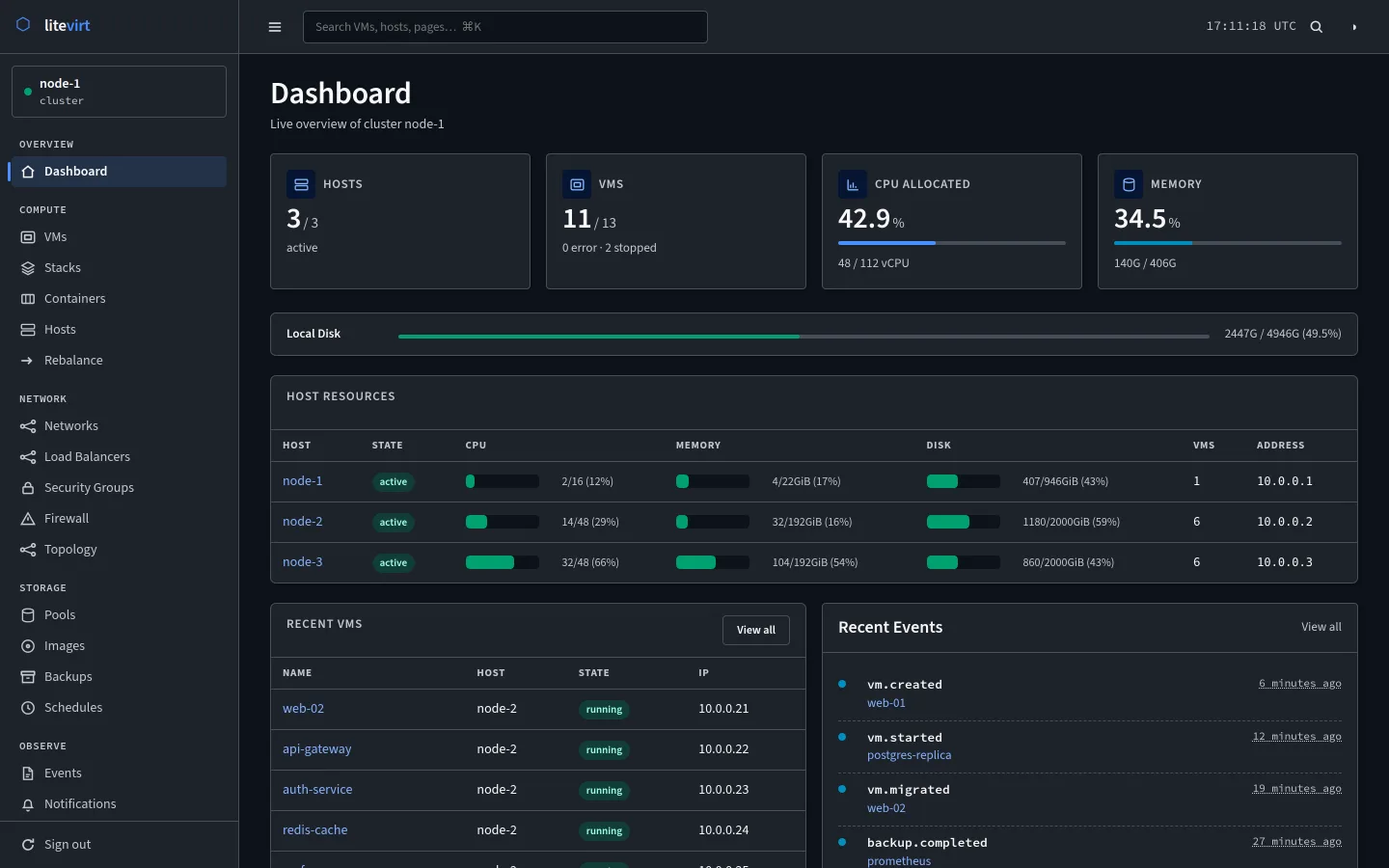
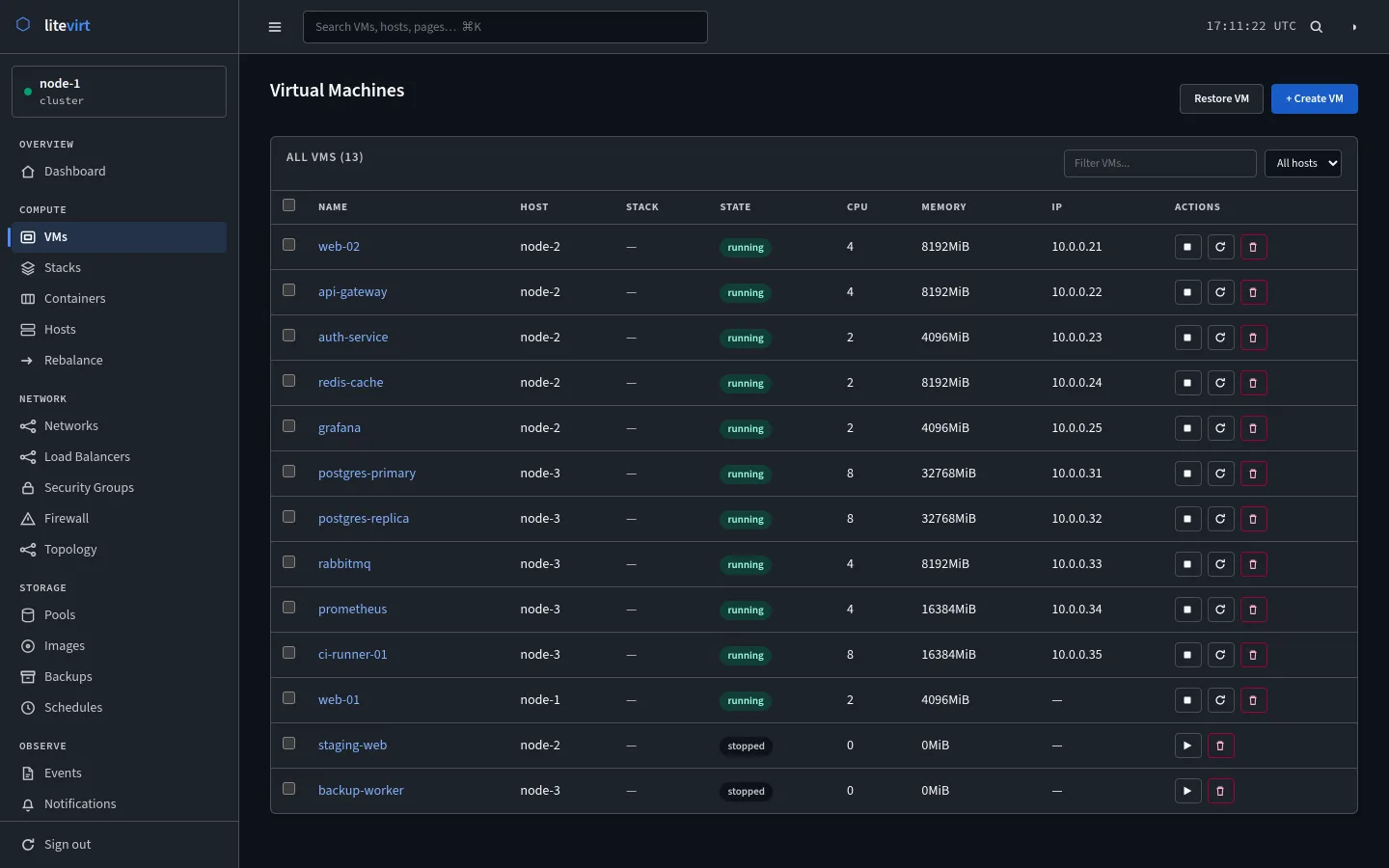
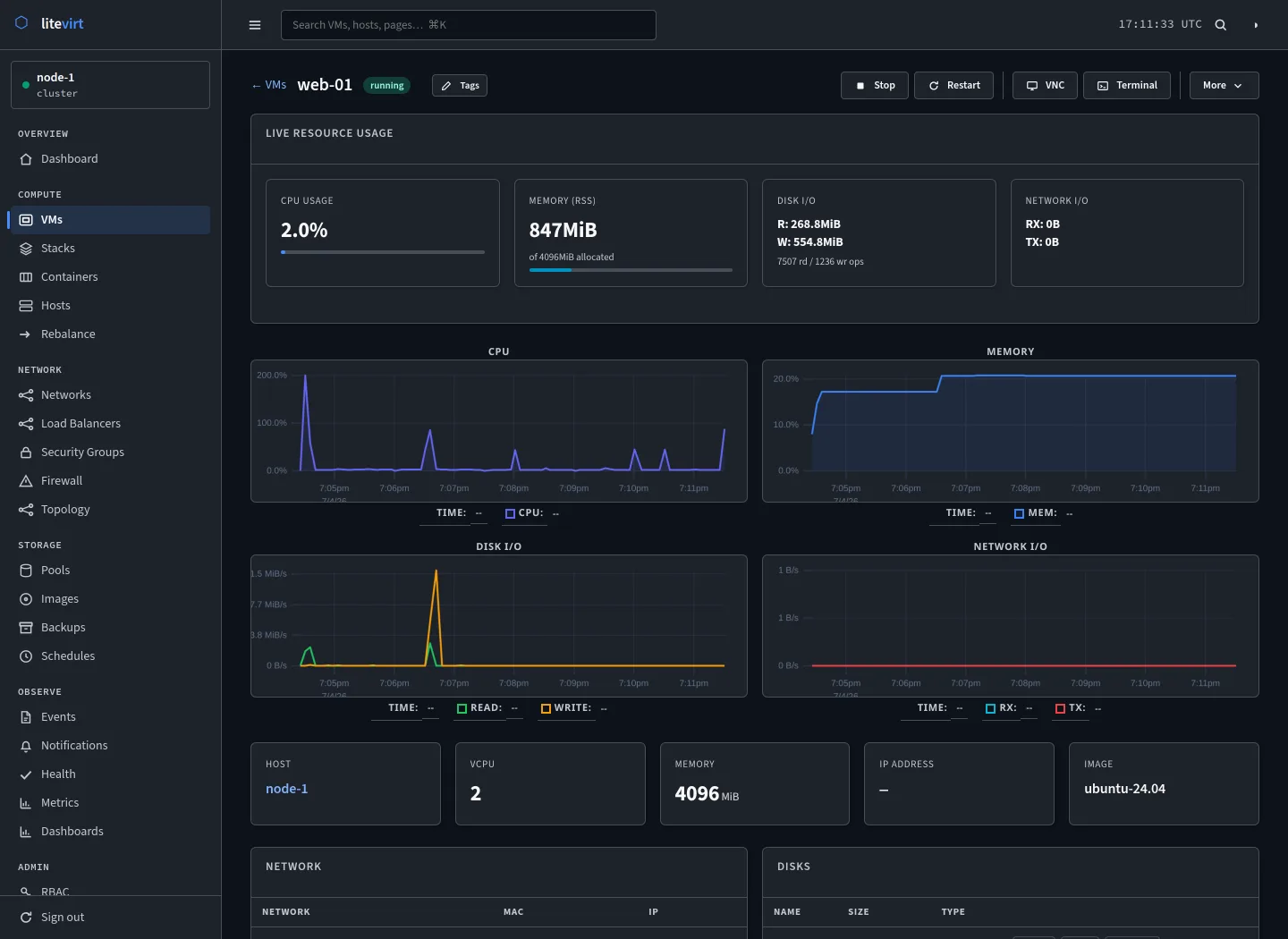
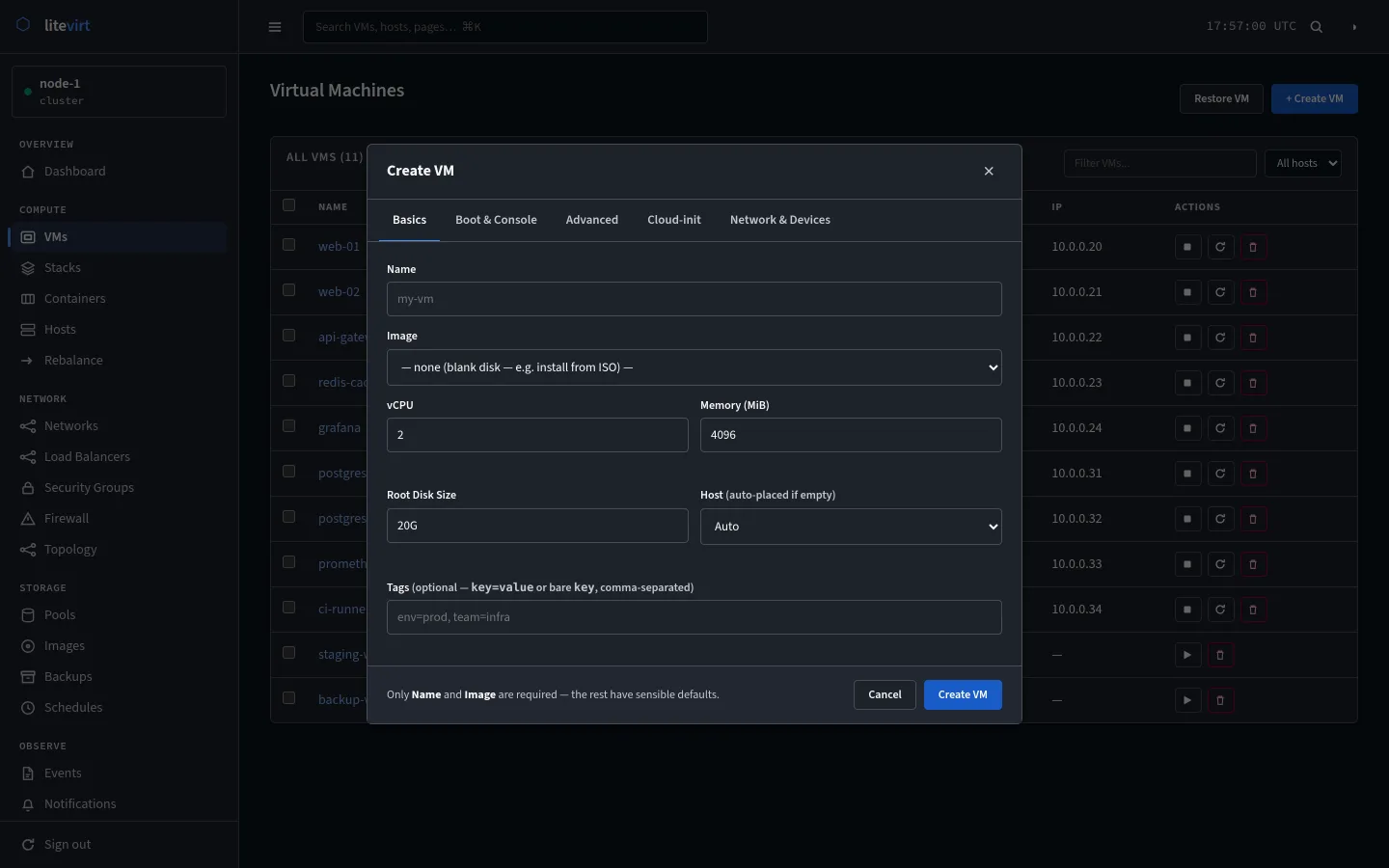
The dashboard, the cluster-wide VM list, a single VM's live graphs, and the Create VM dialog.
Where to find it
Every host serves the UI on port 7445, and each one shows the whole cluster. It is built from Go templates and HTMX, ships inside the same binary as the daemon, and needs no separate install.
Beyond these screens
The sidebar reaches the rest of the cluster: stacks, containers, hosts, the rebalancer, networks, load balancers, security groups, firewall rules, topology, storage pools, images, backups, schedules, events, and notifications. A VM’s page adds VNC, SPICE, and text consoles, snapshots, tags, and its hardware.
Sign-in supports local, OIDC, and LDAP accounts, with TOTP or WebAuthn as a second factor. The web UI guide walks through every page.